Live eventJune 18Build Your Portfolio with AIGet ticket →

Education · No-code · iOS & Android · 2021 – present

From one idea to
twelve apps.

What happens when you stop rebuilding from scratch and start designing the data structure first. One database, one building system, twelve native apps across iOS and Android. All built alone in 228 hours.

439K impressions on the 100 Animals family. 18.2% freemium conversion (industry average: 2 to 5%). $737 in proceeds. All organic. One designer. No dev team. No marketing budget except one $10 ad.

The numbers are modest. The method is not.

Role

Solo Designer, Developer, Content Producer, Publisher

Timeline

2021 – present
First app: 24 hours

Stack

Figma · Bravo Studio · Airtable

Platforms

iOS App Store · Google Play · Web

Skills

Database Architecture Educational Product Design Freemium Strategy App Store Optimization (ASO) Design Mentorship
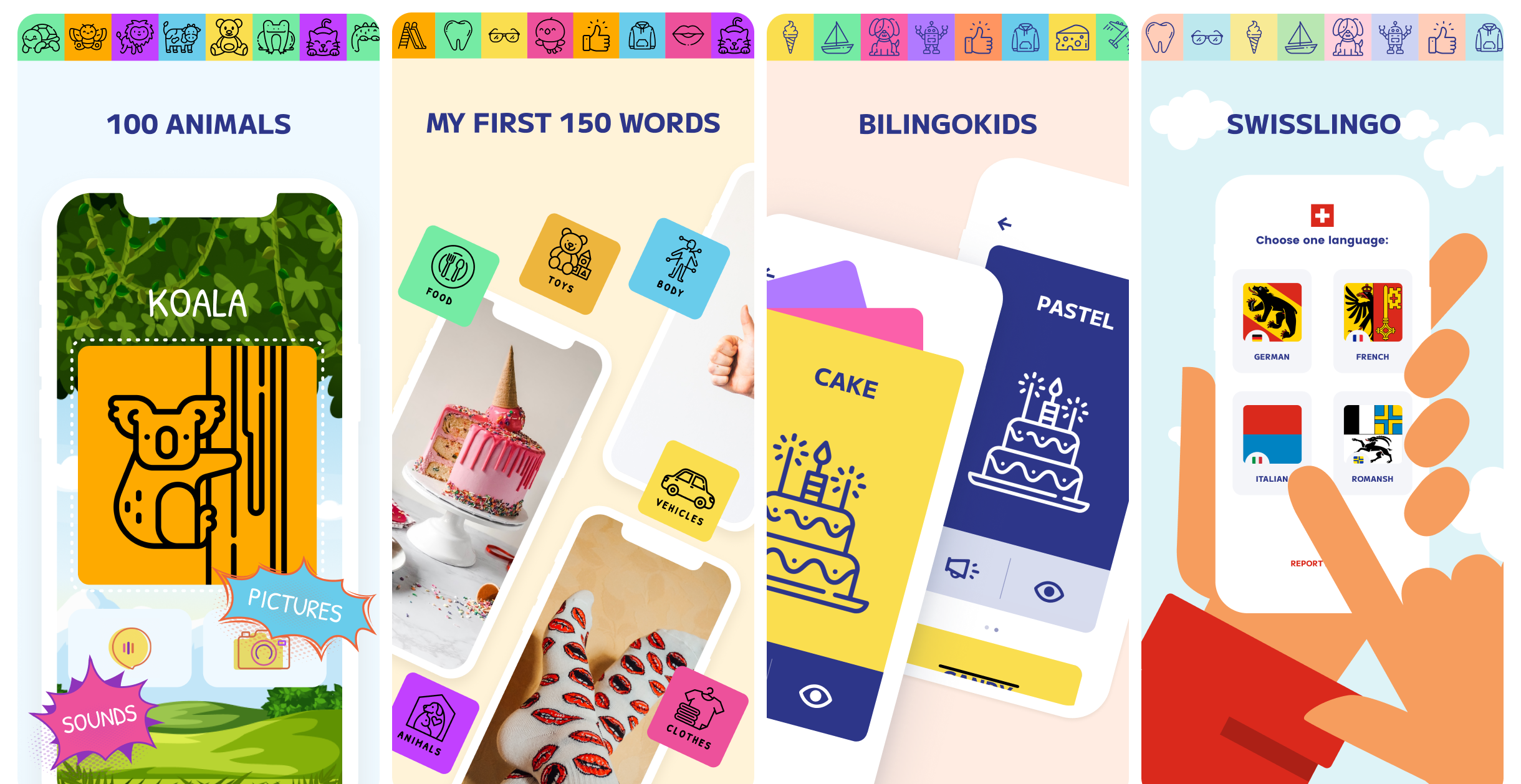
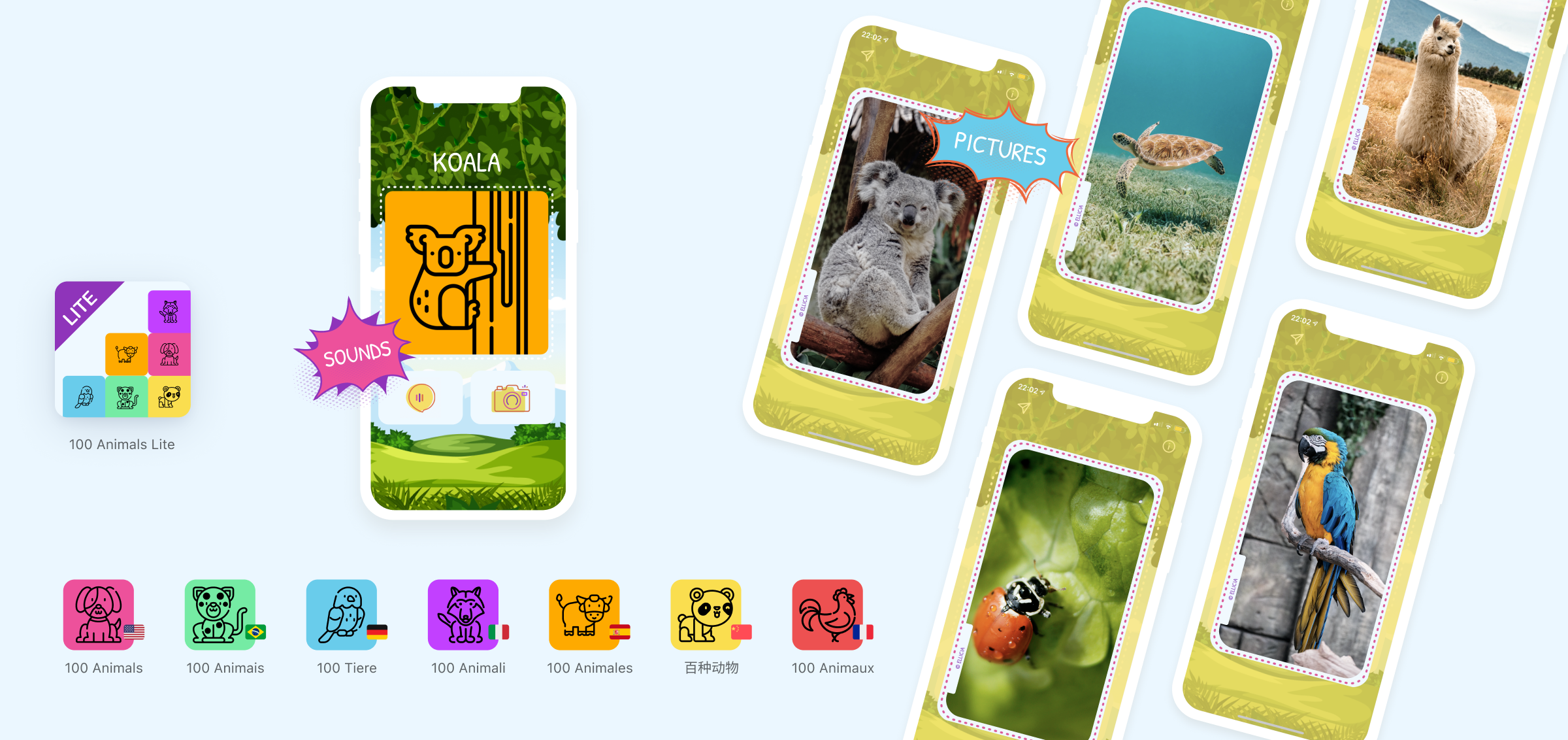
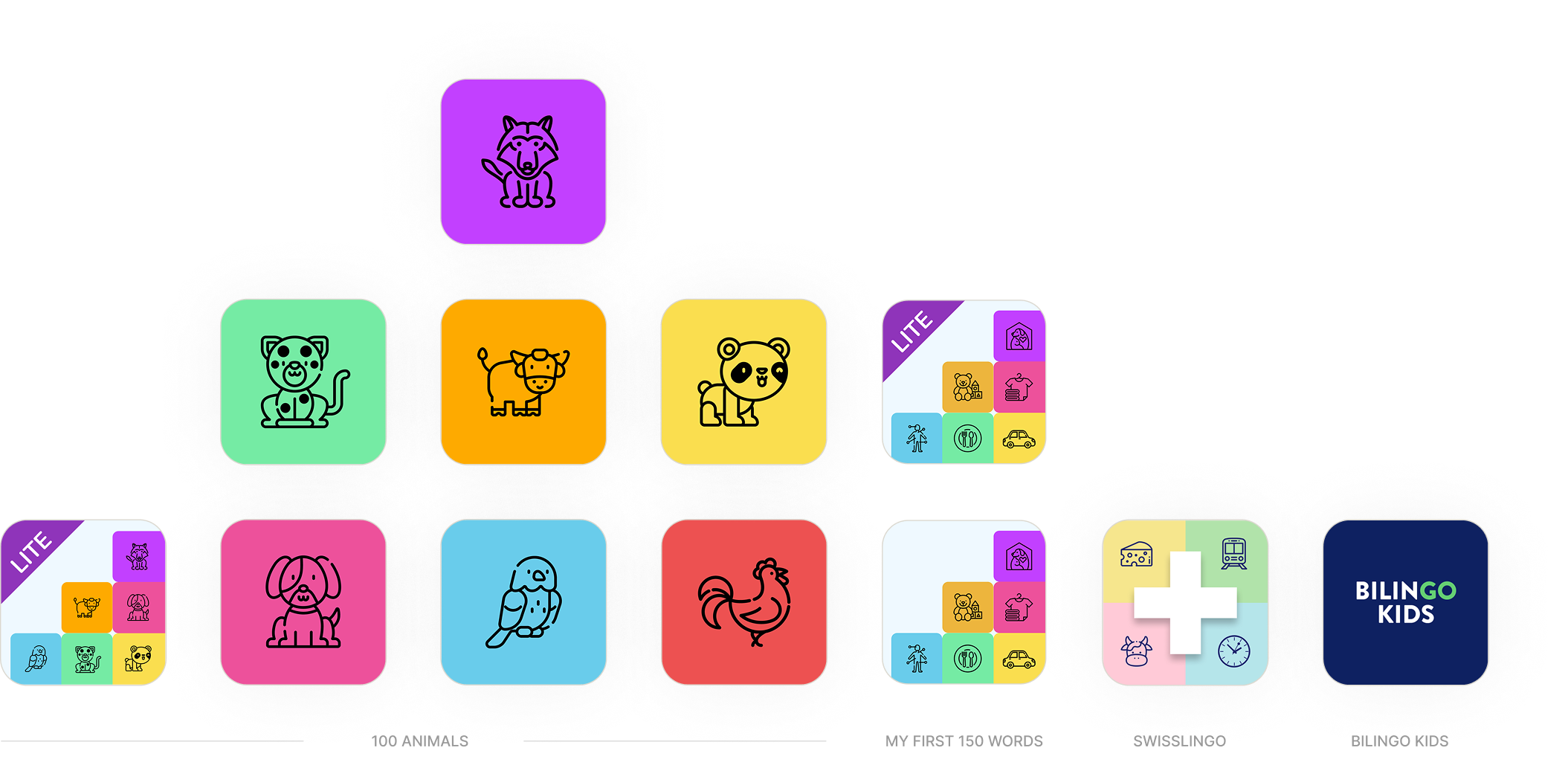
The 12 Apps family — 100 Animals, My First 150 Words, BilinGO Kids, SwissLingo

12

Native apps shipped
across iOS & Android

228h

Total build time
for all 12 apps

18.2%

Freemium conversion rate
industry avg: 2–5%

439K

App Store impressions
100 Animals family, organic

01 — The Idea

It started with a picture book.

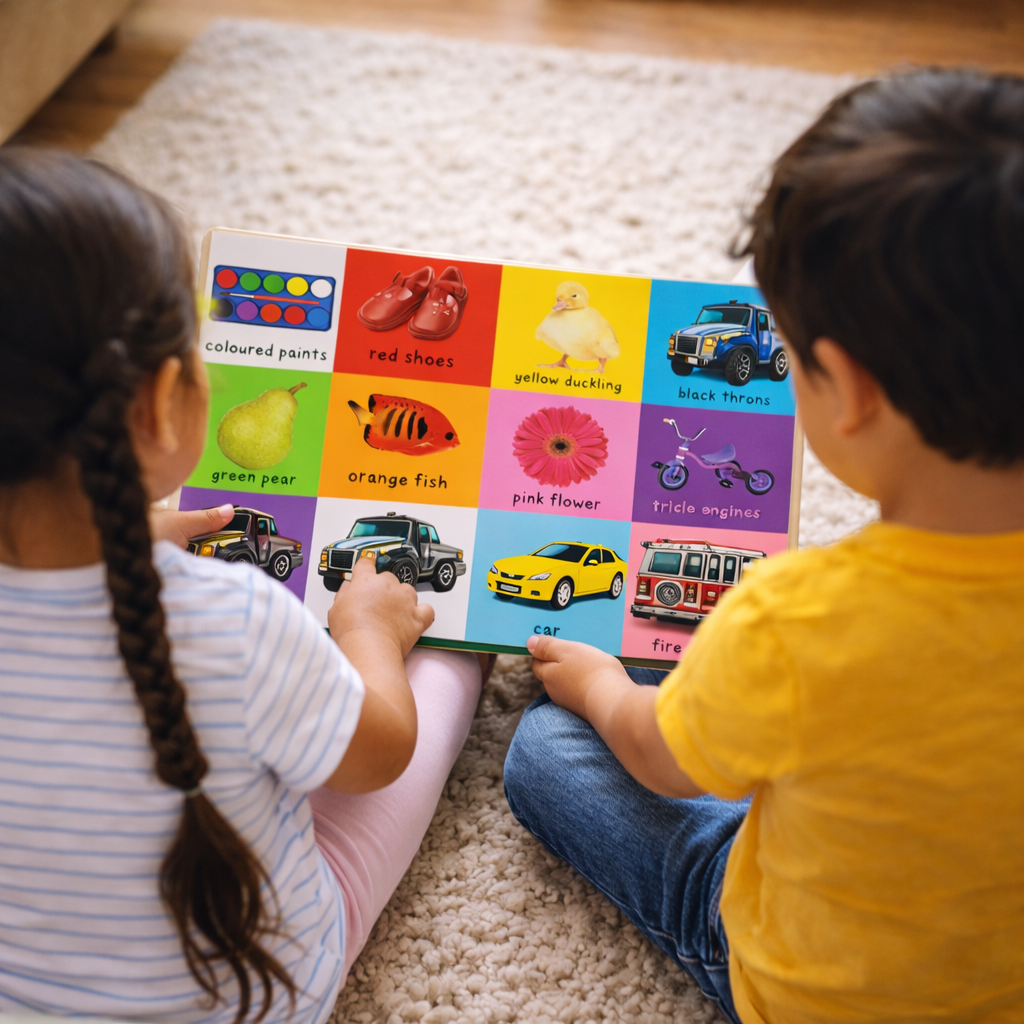
I was watching my stepkids flip through a book called First 100 Animals. Pages of colorful illustrations, simple labels. They couldn't put it down.

I thought: this is a product. A simple one. And I can build it with the tools I already know.

That hunch turned out to be the whole lesson. One database. Everything.

The book First 100 Animals — the origin of the app idea

02 — The Insight

Design the data structure first.
Everything else follows.

My original plan was simple: build 100 Animals in multiple languages. That was it. One app, several versions. Nothing more ambitious than that.

Then I started asking the wrong question (the best kind). What if the structure I built for the first app could power a completely different one? What if iteration meant adding a column to a table instead of starting over?

I was building alone. No engineering team, no budget for one. The only way to scale was to make the architecture do the work.

So before I designed a single screen, I designed the data structure. That decision is why 12 apps exist instead of 3.

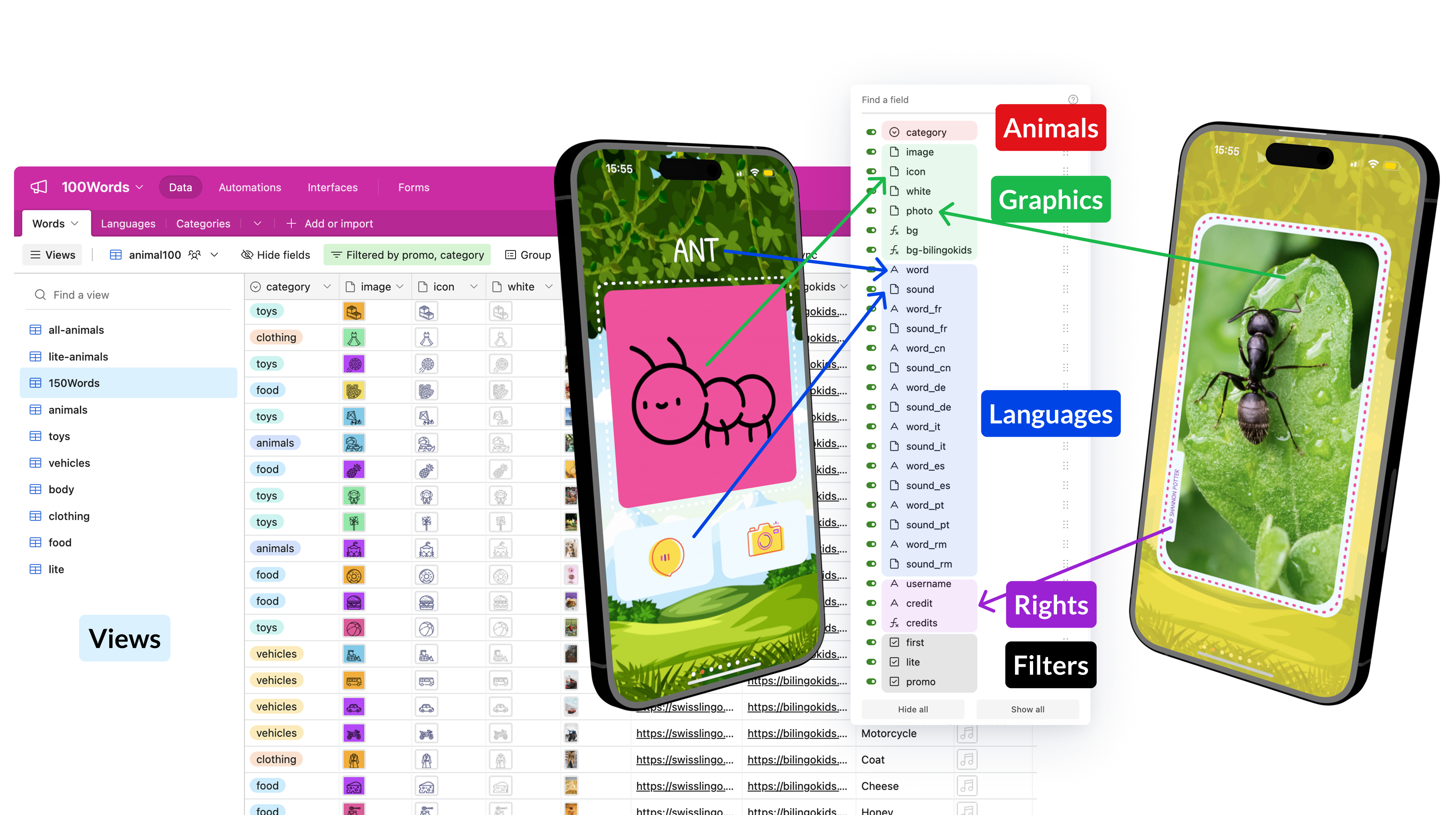
Airtable database — each row a word, each column a language

The Airtable database powering all 12 apps. Each additional language is one column.

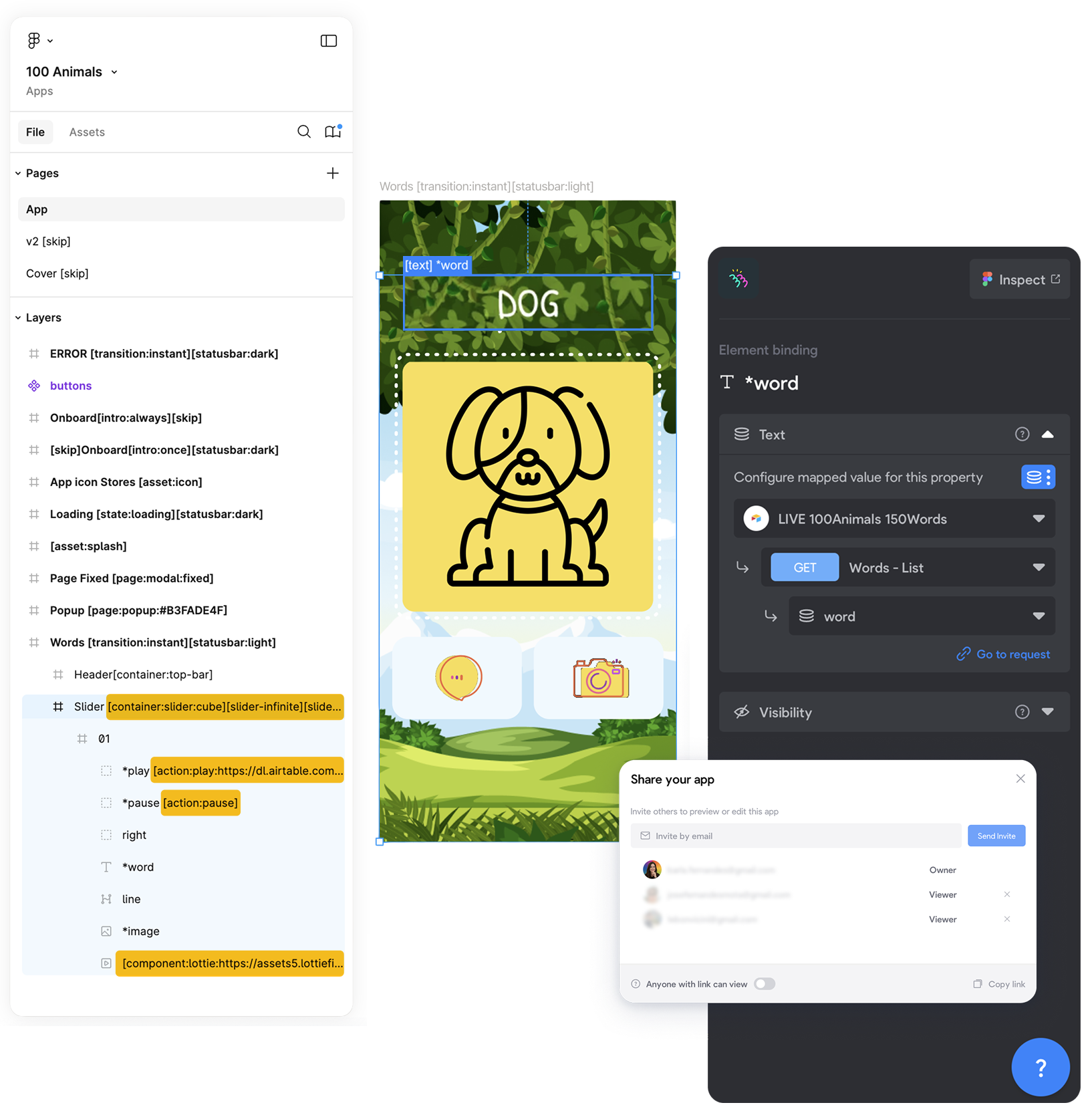
Figma screen with Bravo tags — the no-code pipeline

03 — The Build

The first version took 24 hours.

Not 24 days. Not 24 weeks. 24 hours.

Here is how: I designed the screens in Figma with Bravo tags in the layer names. Those tags told Bravo Studio how to connect each element to an Airtable field. Animal pictures in one column. Animal icons in another. The app pulled live data from the database and rendered it as a native iOS app.

That first version took 24 hours because it included everything: the design, the structure, the logic, sourcing 100 images one by one on Unsplash (crediting every artist inside the app), selecting every icon individually from Flaticon, hiring voice actors on Fiverr, splitting each audio file per word. The first version is always the hardest.

100 Animals app screens

When I wanted a German version (100 Tiere), I added a column for the German word and a column for its audio. The same screens. The same logic. Everything else stayed exactly the same. Each additional language was faster than the last.

By the time I had 7 language versions of 100 Animals plus a Lite version with a built-in language selector, I had also built the foundation for every app that came after.

A little over 100 hours for the entire 100 Animals family to come to life. That includes the app, the launch video produced in Figma, animated in Jitter, finished in Camtasia to add background audio and audio effects, a responsive website designed in Figma and hand-coded in HTML, CSS, and Bootstrap published on my own server, App Store and Google Play assets, and social posts for LinkedIn, X, Instagram, and Product Hunt.

"The constraint made the method. Building alone forced a discipline a bigger team might never have needed." — On designing for scalability without a team
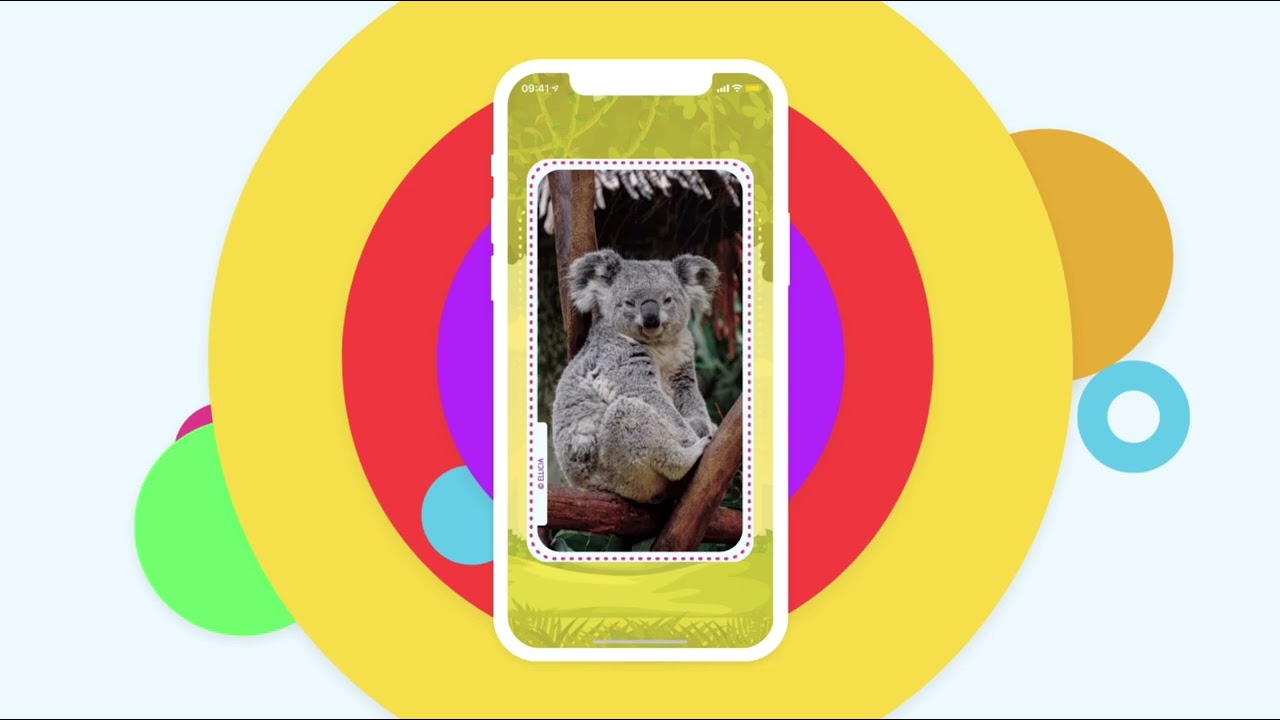
100 Animals launch video

04 — The Pivot

The insight that changed the scope.

Parents using 100 Animals started saying things like: "my kid is learning a language." And I thought: no, they are not.

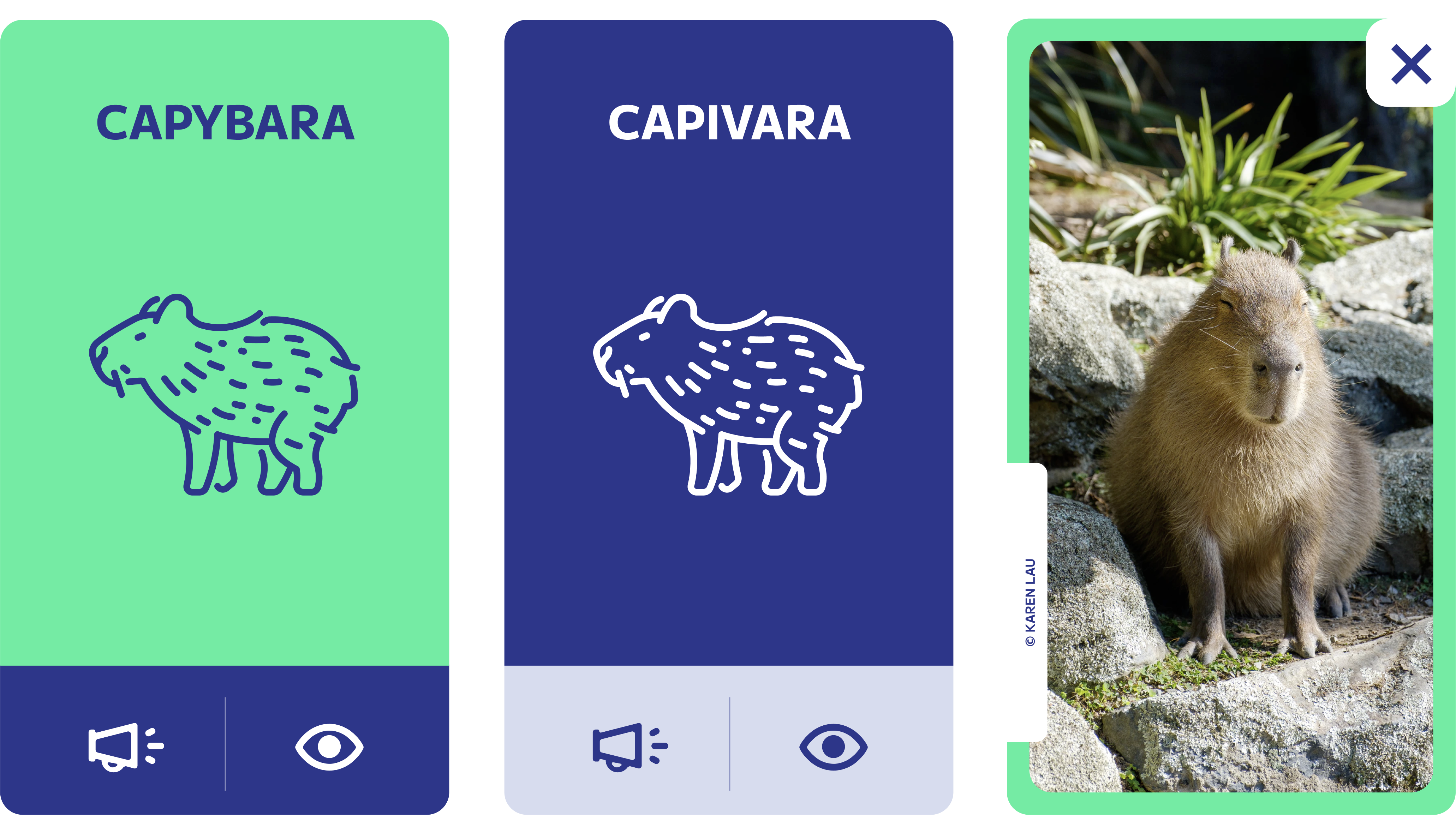
Knowing the word for capybara in Portuguese is not language learning. Capivara. Great word. Completely useless unless you are standing in a South American wetland. You need vocabulary in categories. Body parts. Food. Clothes. Words you actually use every day.

The insight — from animal names to everyday vocabulary

It required some additions to the database structure so that each app sees only what it needs.

I reused the Animals category and built five more around it: Food, Body, Vehicles, Toys, and Clothes. 6 categories, 25 words each, 6 languages. Same Airtable foundation. New content, new images, new audio. That became My First 150 Words.

That is when I understood what I had actually built. Not just an app, but a building system: a Figma component library for screens and launch videos, and an Airtable database where adding a new language meant adding columns, not rebuilding anything. Still manual. But fast.

05 — The Timeline

One system.
Twelve products.

Each product in the family came from a specific observation. Not a roadmap. A question that only needed one more column to answer.

Three years from first idea to 12 apps. Not three years of continuous building. Three years of the same system absorbing new ideas when they were ready.

App icons for the 12 apps family — 100 Animals, 100 Tiere, 150 Words, BilinGO Kids, SwissLingo
Aug 2021

100 Animals (English, Spanish, Portuguese, Italian, German + Lite) ↗

The original. 6 versions launched within 48 hours of each other. Same screens, just different data.

101h total
Aug 2022

100 Animals (Chinese) ↗

Download data showed interest from Chinese-speaking users, so I added the column. In practice, they turned out to be more interested in foreign language versions than their native one. The system made it easy to try. That is the point.

+1 column
Dec 2023

My First 150 Words (Full + Lite) ↗

Full version and Lite launched on the same day. Reused the Animals category and built five more: Food, Body, Vehicles, Toys, Clothes. 6 categories, 25 words each, 6 languages. Same foundation, entirely new content. The longest build in the family because the content was entirely new, not the architecture. Three mentees supported the UX research: Jasmine M. Dania, Katerina Sevcovic, and Katherine Niu. The building and finishing were mine.

74h
Apr 2024

100 Animals (French) ↗

Nearly three years after the first launch. Same database, new column. (You see what's happening here, right?)

+1 column
Aug 2024

BilinGO Kids ↗

Came from keyword research on the Build The Keyword platform. Parents hadn't asked for a bilingual app directly. But the search data was clear: English/Spanish bilingual learning for children was one of the most searched topics in the space. Added a second language column, redesigned the card to show both languages at once. Gabriella Davis and Peiling (Peggy) Yang supported the UX research and visual mockup testing, with UI exploration by Kerry Dwyer Keusen. I built and shipped it. BilinGO Kids and SwissLingo shipped within two weeks of each other.

21h
Aug 2024

SwissLingo ↗

Three years from first idea to 12 apps. Not three years of continuous building. This one came from where I live. Switzerland has 4 national languages, three of which are spoken by shrinking communities. Romansh especially is a living culture at risk of disappearing quietly. Expat children arriving here need a bridge into that culture, not just a translation. I found someone to help create the word cards, added a column for Romansh, and launched with all 4 Swiss national languages in roughly 31 hours.

31h

Total build time across all 12 apps: 228 hours. Less than 30 working days.

06 — The Numbers

What the numbers say.

12 apps live on both the App Store and Google Play. 2,100+ total iOS downloads across the family. 94.8% of downloads on iOS. The App Store analytics show consistent discovery: 439K times the 100 Animals icon appeared in App Store search and browse, to someone actively looking. 201K for My First 150 Words. 2K+ units downloaded on 100 Animals Lite alone. All organic.

83.7% of all downloads were free Lite versions. 16.3% paid. The Lite apps did exactly what they were supposed to do: get the product in front of people who would never pay first.

But here is the number that matters more: 1 in 5 people who downloaded 100 Animals Lite went on to buy a paid version. 20.4% conversion. My First 150 Words converted at 14.7%. Overall across the family: 18.2%. Industry average freemium conversion for apps is 2 to 5%. All organic. No remarketing, no push notifications, no discount campaigns.

$737 in proceeds across 4.5 years, after Apple's 30% cut. Still little money. But the conversion rate tells a different story than the revenue does. People who tried it wanted more of it. That is the part worth keeping.

228 hours total. That is not just app build time. That number covers everything: design, database, content research, audio production, video pipeline, website, store assets, and social launch, for all 12 apps.

That is not bad for one person with a spreadsheet and a hunch.

20.4%

100 Animals Lite → paid conversion

Industry average: 2–5%

14.7%

My First 150 Words conversion rate

Organic, no paid acquisition

2,100+

Total iOS downloads across the family

94.8% of downloads on iOS

439K

App Store impressions, 100 Animals

All organic discovery

201K

App Store impressions, 150 Words

Launched Dec 2023

$737

Total proceeds across 4.5 years

After Apple's 30% cut. One $10 ad.

Monthly iOS downloads · All 12 apps


May 2021 Mar 2026

07 — The Proof

What this actually proved.

The constraint made the method.

Building alone, without code, with limited time forced a discipline a bigger team might never have needed. Design the data structure first. Make sure each version takes a fraction of the time of the one before it.

Every hour I saved on the second app I invested in the next. Every pattern I reused freed up attention for the part that actually needed solving.

That is the principle I now teach: the first product is the template. Build it like one.

08 — Teachable

The method is teachable.
I know because I tested it.

Two of these apps (My First 150 Words and BilinGO Kids) had mentees working alongside me on UX research and visual ideation. I led. They contributed. The system was solid enough to absorb their input without losing direction.

That matters to me as much as the apps themselves. A method that only works when you already know everything is not a method. It is a talent. This one transferred.

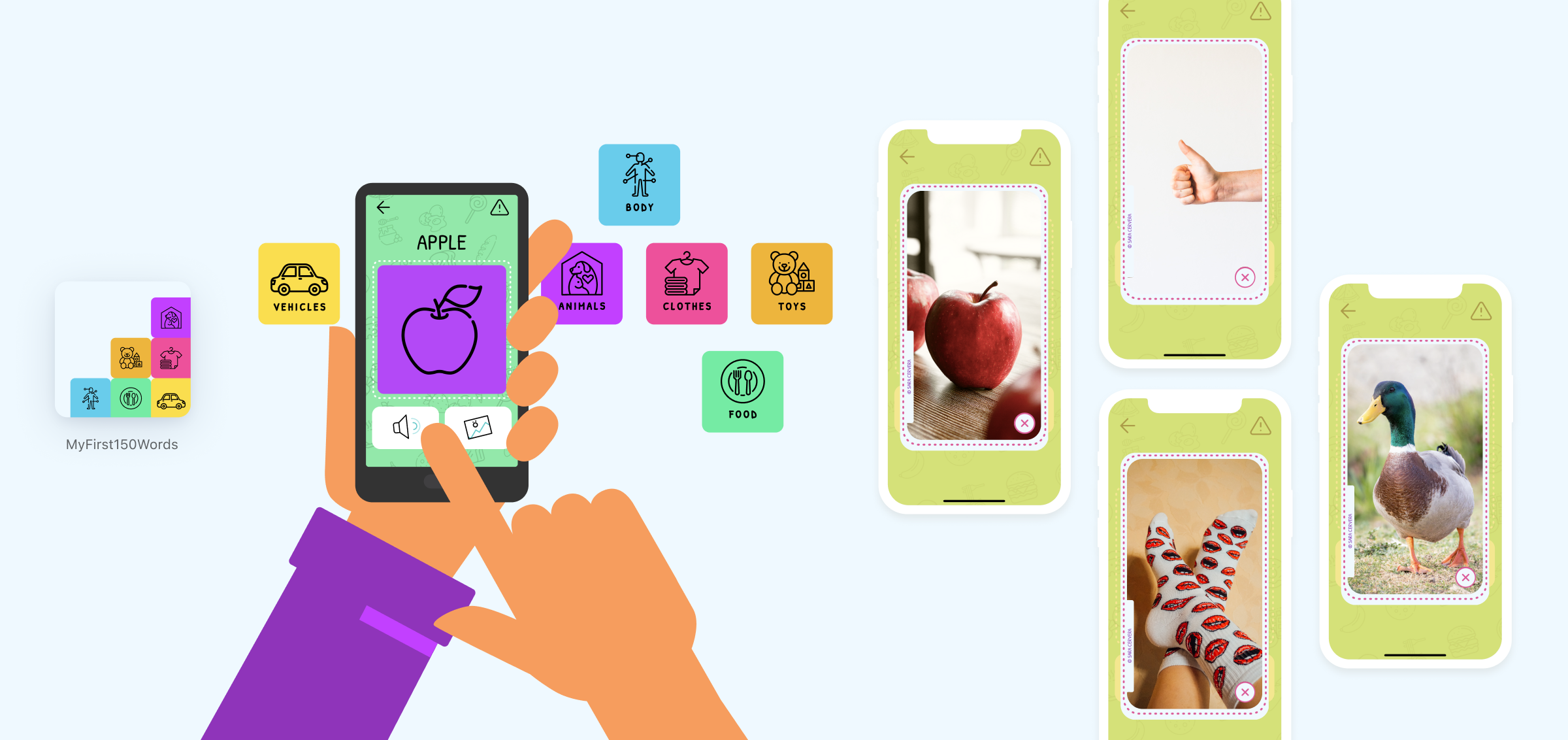
My First 150 Words app screens

In April 2023, I brought three UX/UI designers into My First 150 Words and led them through the full process (problem definition, research, visual design, and a published no-code native app) in 4 weeks. The app expanded into six vocabulary categories (Food, Body, Vehicles, Toys, Clothes, and Animals), with the explicit goal of supporting children's cognitive development and communication skills. They shaped real decisions. The product is better for it.

Here's what they said:

"Worked on this app for 4 weeks, and it was a valuable experience. I deepened my understanding of balancing business and user needs. Continuous feedback helped me remain unbiased, which was truly eye-opening."
Jasmine M. Dania Jasmine M. DaniaUX/UI Designer, New Haven, US
"I enjoyed working on all aspects of the design process to support speech development in young children. Throughout the project, I received constructive yet critical feedback that significantly boosted my confidence."
Katerina Sevcovic Katerina SevcovicUX/UI Designer, Chicago, US
"This project challenged me to find the mutual ground between business goals and user needs. I learned how to prioritize UX methods that make the most impact and communicate the rationale behind my design decisions." Read her case study →
Katherine Niu Katherine NiuUX/UI Designer, New York, US
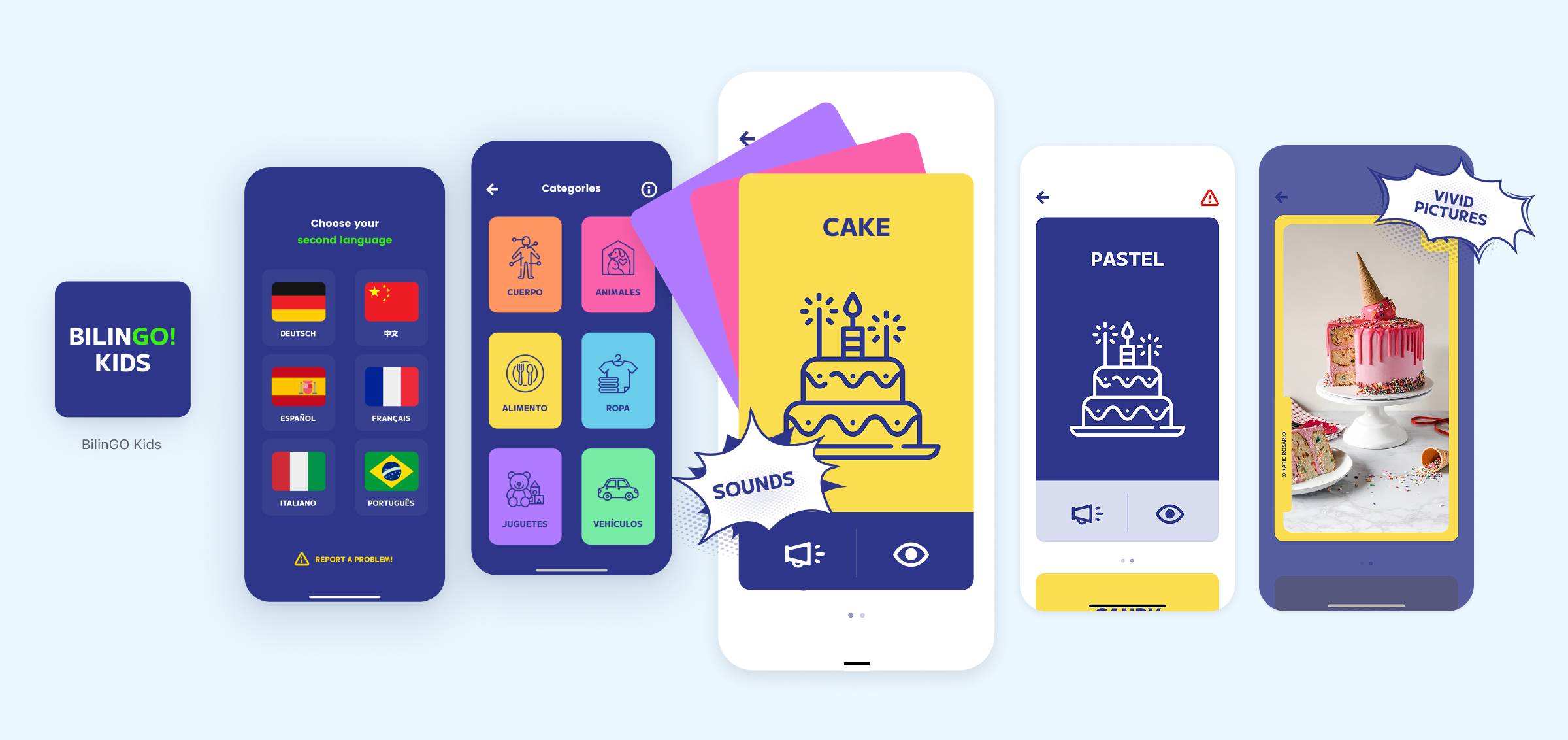
BilinGO Kids app screens

On BilinGO Kids, Gabriella Davis and Peiling (Peggy) Yang supported the UX research and visual mockup testing, with UI exploration by Kerry Dwyer Keusen. I built and shipped it. BilinGO Kids and SwissLingo shipped within two weeks of each other.

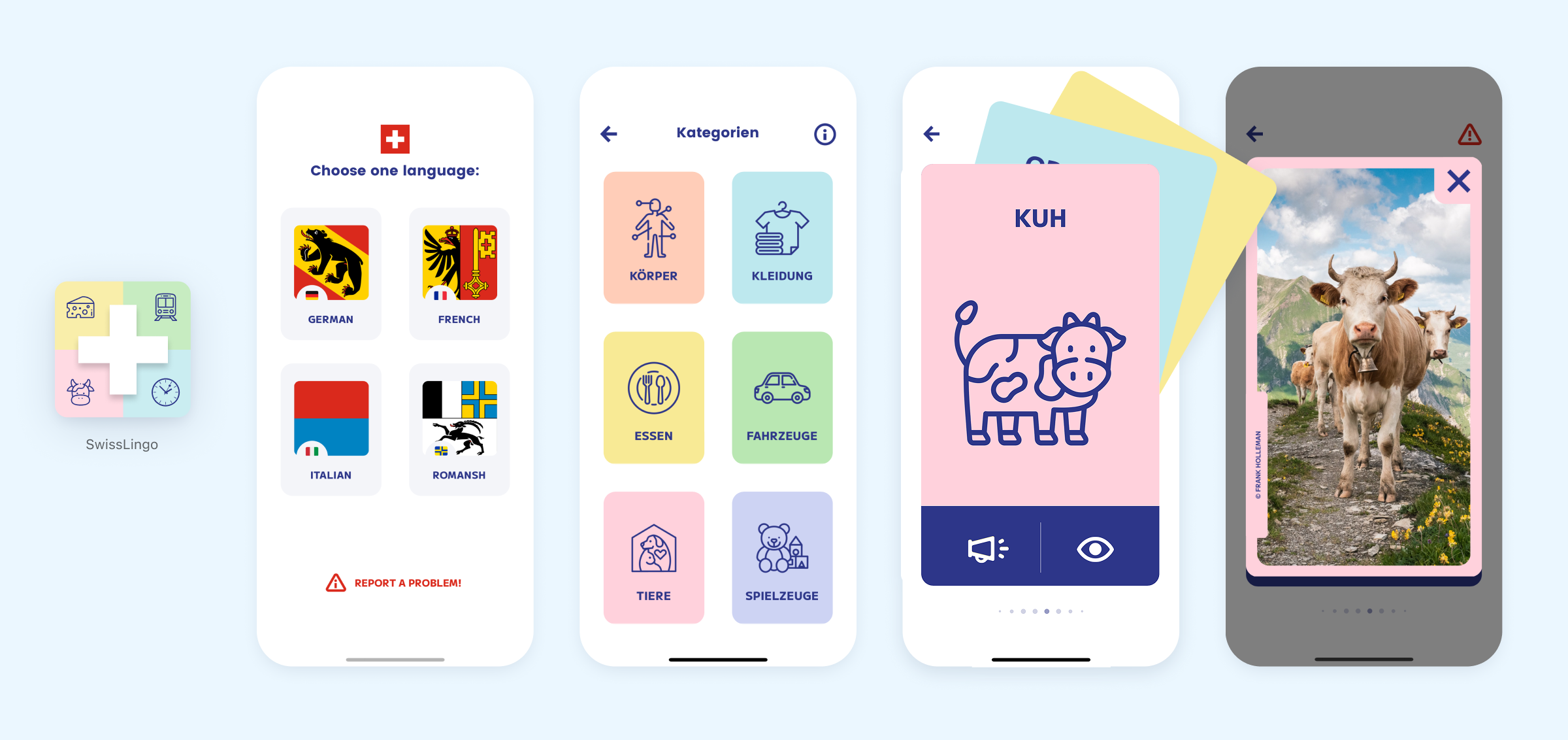
SwissLingo app screens

09 — Design Decisions

If kids are going to have screens,
the screen should earn its place.

The intention behind all of this has not changed. If kids are going to have screens anyway, the screen should earn its place. These apps were built to support early literacy: learning to read, to speak, to understand.

The design choice to show both a simplified illustration and a real photograph of the same object is deliberate. Children learn through abstraction and recognition together. Simple icon, real image, real voice, real word. That is the whole experience.

This was built to be played alone or with a parent. Both work. Both matter.

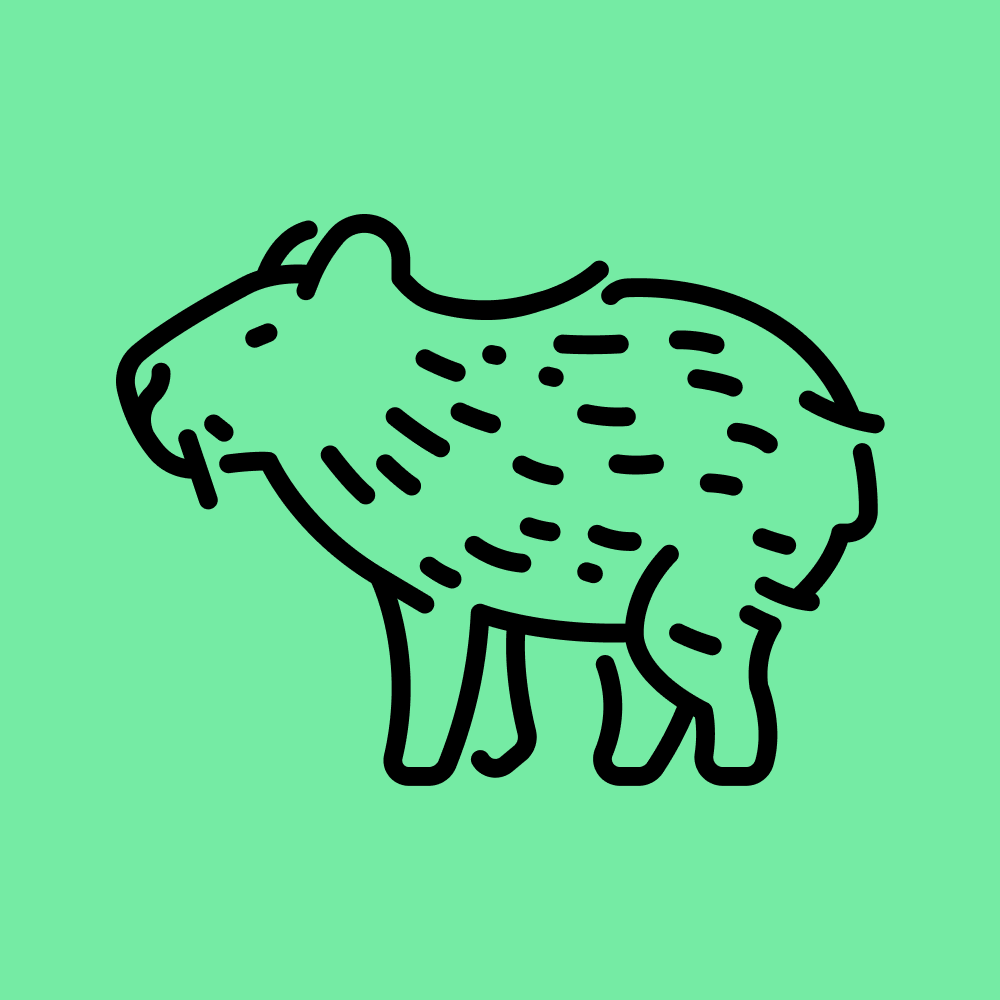
Capybara icon — simplified illustration from Flaticon
Real capybara photograph from Unsplash
App card design — icon, photo, word label, and audio button combined

The takeaway

228 hours. 12 apps.
One spreadsheet.
Not bad for one person with a hunch.

My stepkids who started all this are almost teenagers now. They speak four languages.
They don't use the app. Honestly, fair enough.

Check the Apps

10 — What's Next

What AI changes about this.

The next version of these apps will be built with AI-assisted code. That means offline functionality, more interaction possibilities, better performance. No platform constraints in the way.

The asset pipeline could change too. Synthetic voice in any language, no voice actors required. AI-generated icons and images, possibly. Prompting to get the right result takes its own kind of time, and there is something worth keeping about crediting real photographers and artists. The Unsplash images in these apps each have a human behind them. That feels right for a product designed for children.

The honest trade-off: no-code is still better for design fidelity right now. I have tried building with AI-generated code and the tools are not yet able to receive design decisions at the level I work at. Pixel precision is still easier with no-code. That will change. The tools are catching up. But I will not ship a version I am not happy with just because the technology is available.

There is more to build here. AI makes the scope of what one person can create for children much larger. I intend to use it that way.

Ready to work together?

Let's build something
worth remembering.

Book a free 20-min chat → Or check other options →